 UgaRef
 · Business guide
New customers through the door. Thirty seconds at the till.
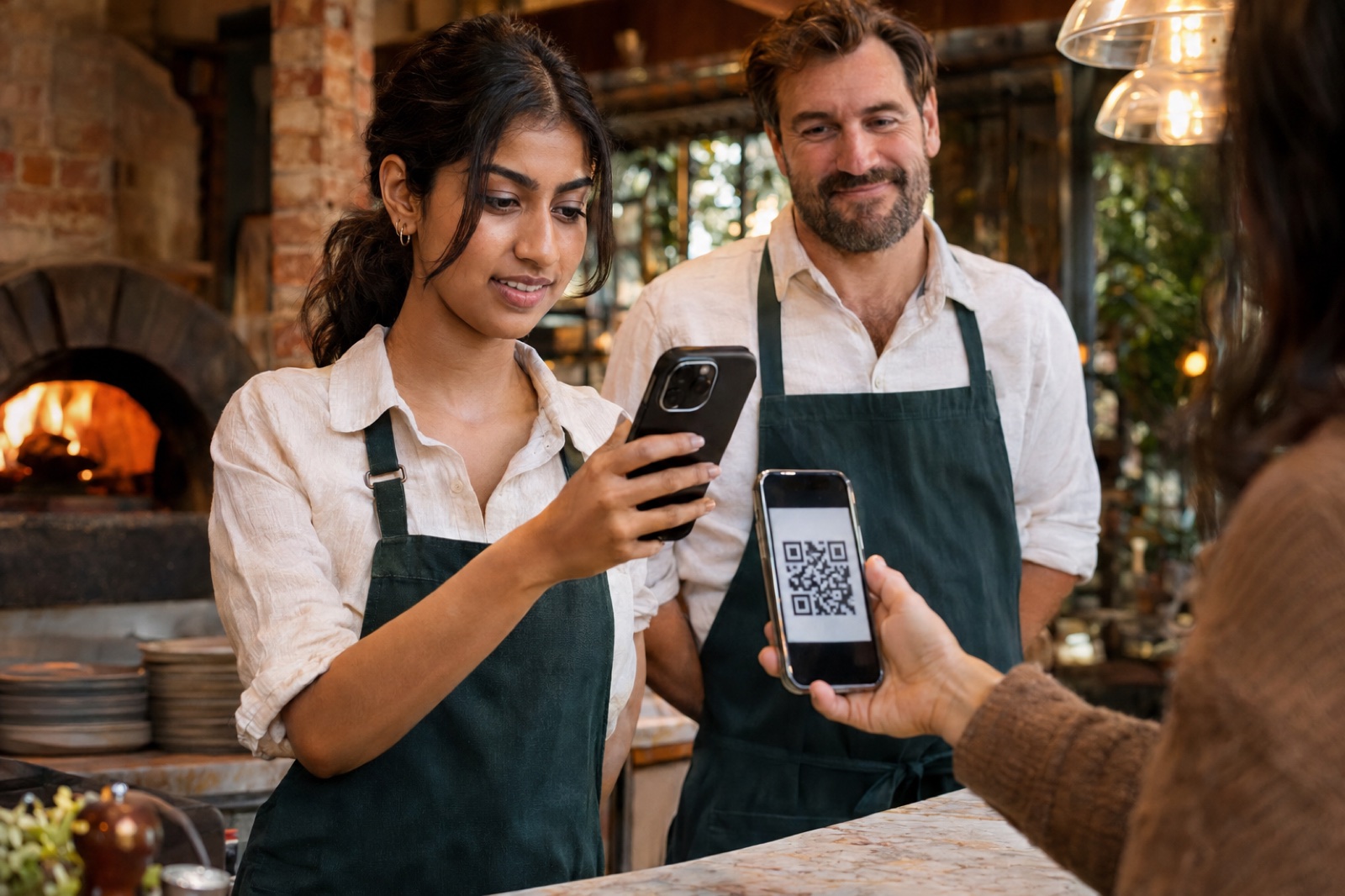
UgaRef lists your business by category and offers your deal to local customers. This guide follows Daniel and his team at Oak & Ember from set-up to their first busy Friday.
Chapter 1 · Getting set up
We set you up before we arrive
User storyAs an owner, I want UgaRef to do the set-up, so that my team can start on the same day.
Daniel and UgaRef agree a deal over coffee: 10% off every visit, and $20 off a first dinner over $80. UgaRef does the rest.

- 1
Your listing goes live
UgaRef adds your business to its category with your logo, photos, a description, locations and your deals. Customers can take a deal straight from your card in Businesses.
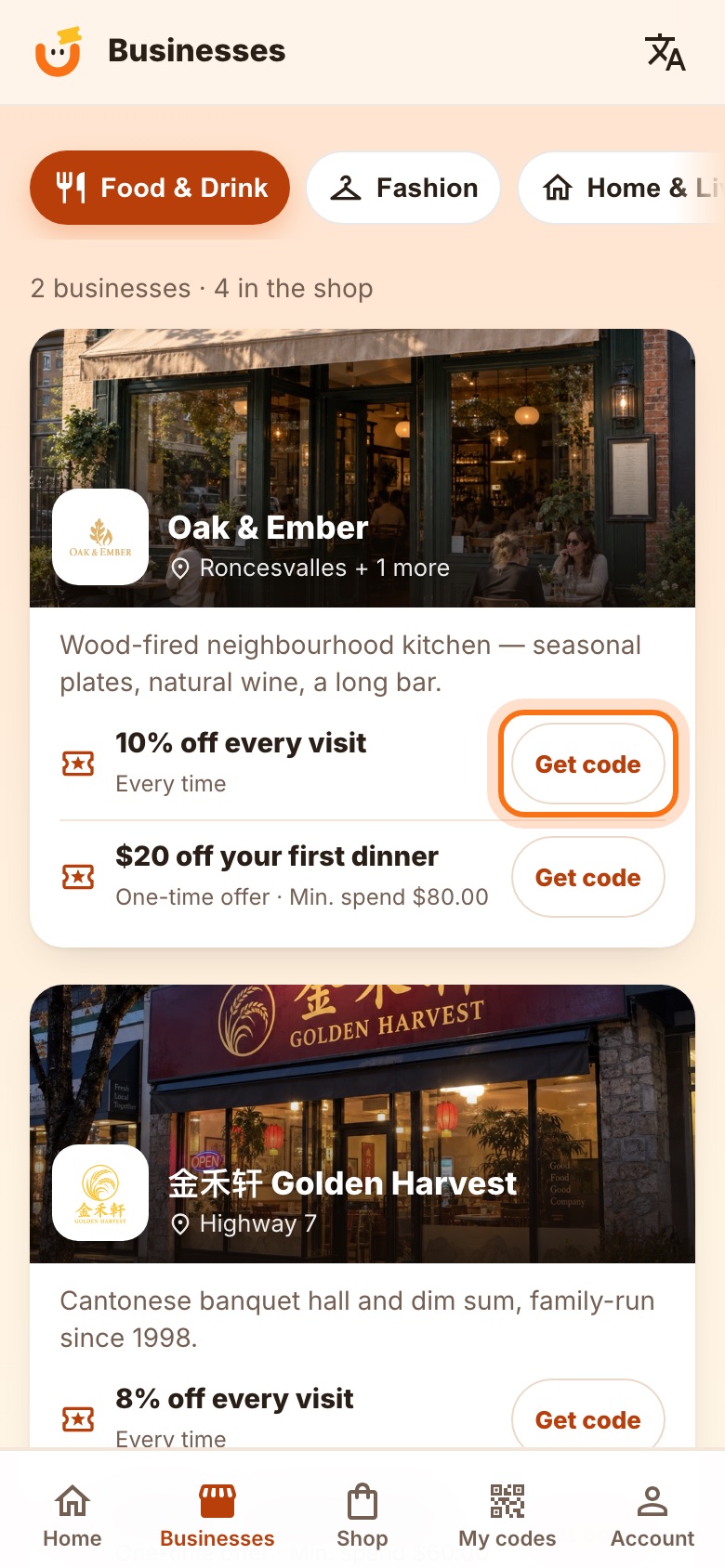
Fig. 2Oak & Ember in Businesses, with its deals on the card. - 2
Each person gets a sign-in and a printed sheet
Every staff member has their own login. The one-page guide has a QR code that opens the sign-in page with their email already filled in — they only type the password, which is never printed.
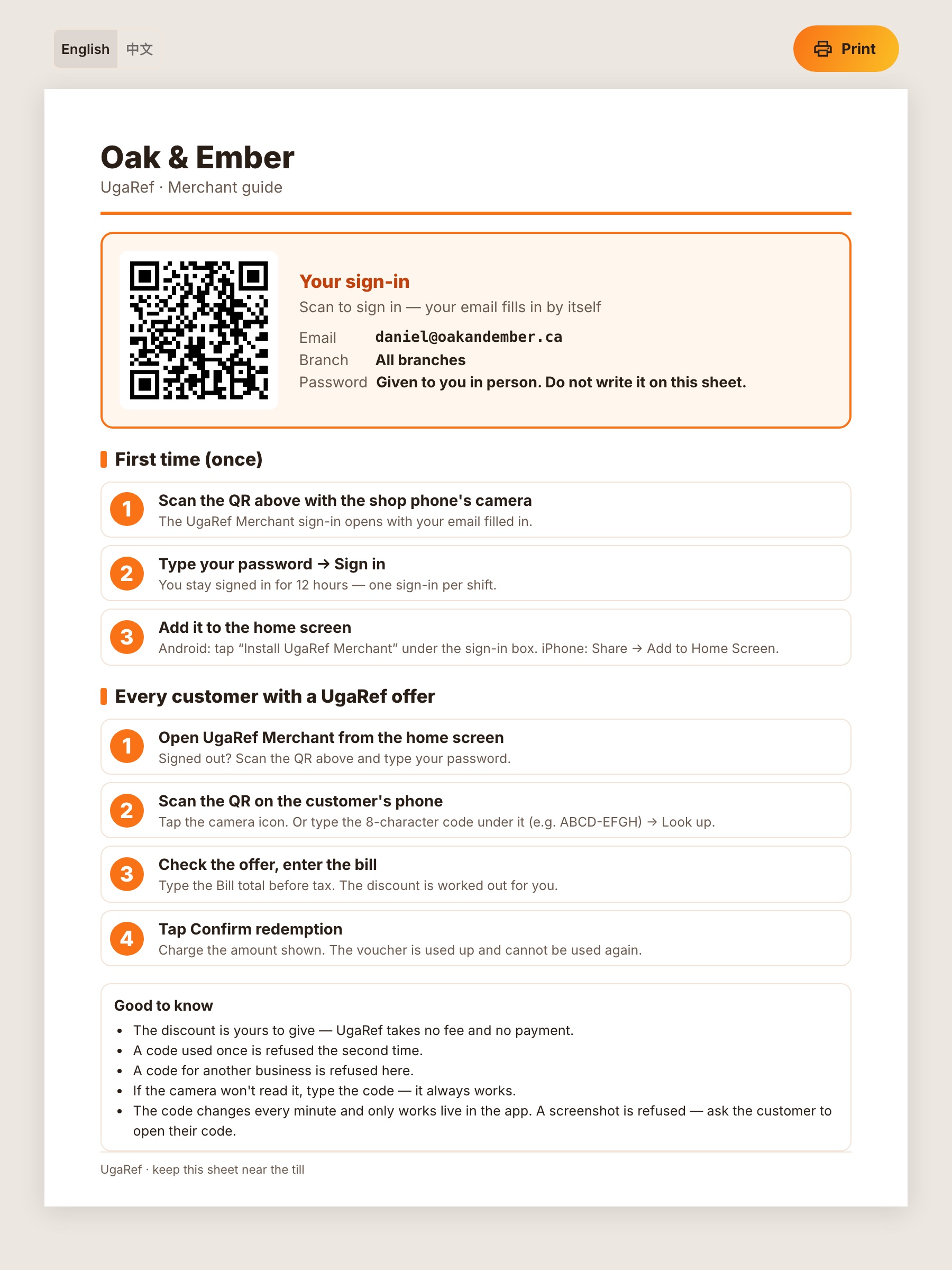
Fig. 3The staff sheet, kept by the till.
Chapter 2 · Sign in
One sign-in per shift
User storyAs a cashier, I want to get into the app quickly at the start of a shift, so that I'm ready before the first table pays.
No tablet, no scanner to buy. Priya uses her own phone: she scans the QR on her sheet, types her password once, and adds UgaRef Merchant to her home screen. From then on it's open the app, scan.
- 1
Scan, type the password, sign in
The email is already filled in. Sign-in lasts the whole shift (12 hours); next shift, open it from the home screen and sign in again. iPhone and Android both work.
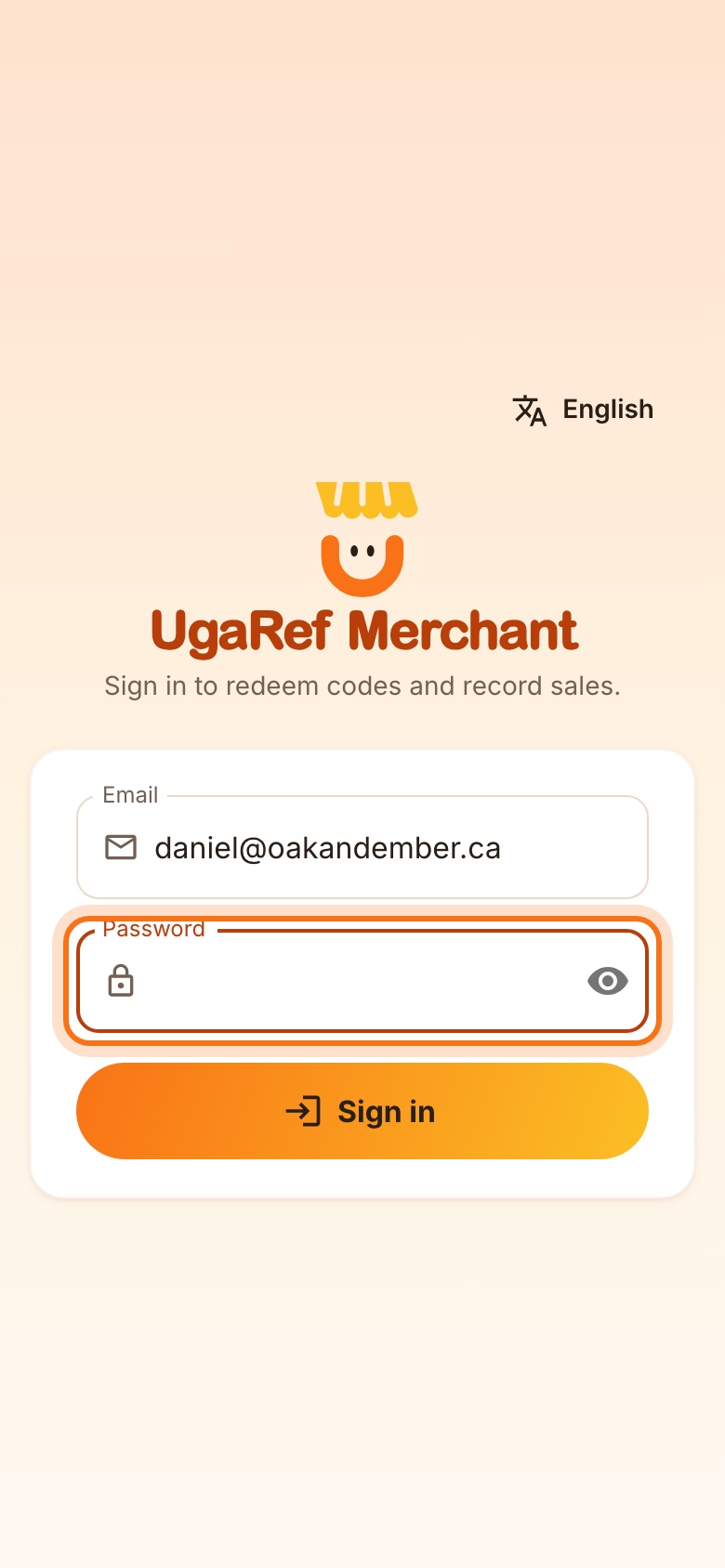
Fig. 4UgaRef Merchant sign-in.
Chapter 3 · At the counter
Redeem a code in three steps
User storyAs a cashier, I want to scan the customer's phone and see the discount before I charge, so that nothing is ever wrong on the bill.
Friday, 8 pm. Marcus comes to pay and shows his UgaRef code. Nothing is used up until Priya taps Confirm — she can scan as often as she likes.
- 1
The customer shows the live code
A QR code and an 8-character code that refreshes by itself. If it isn't moving, it's probably a screenshot.
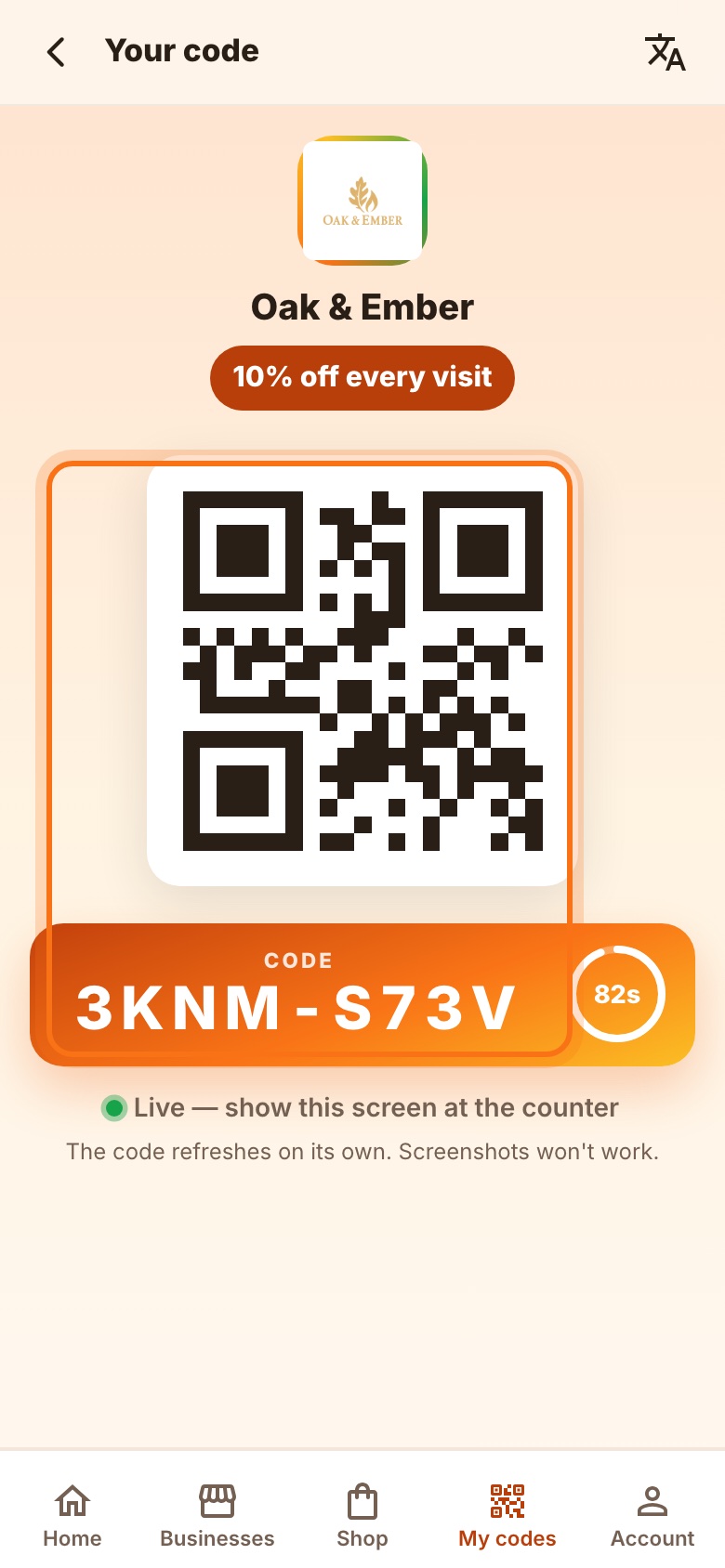
Fig. 5What the customer shows you. - 2
Scan or type the code
Tap the scan icon and point your phone at the customer's screen — it reads the code by itself. Typing the 8 characters is the backup.
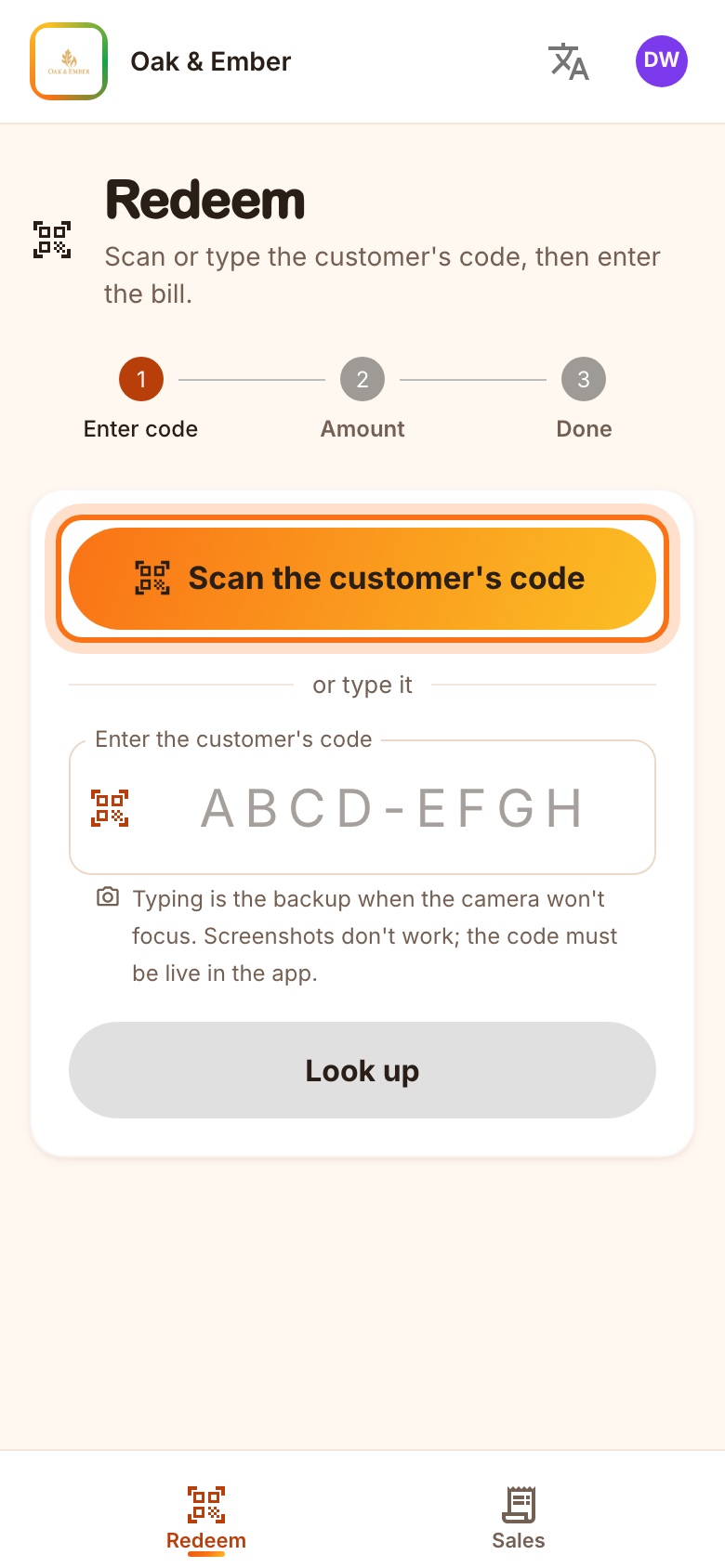
Fig. 6Step 1: scan the code. - 3
Check the deal, enter the bill
You see the customer's name and the deal. Type the bill before tax and before the discount; the discount and what to charge appear immediately.
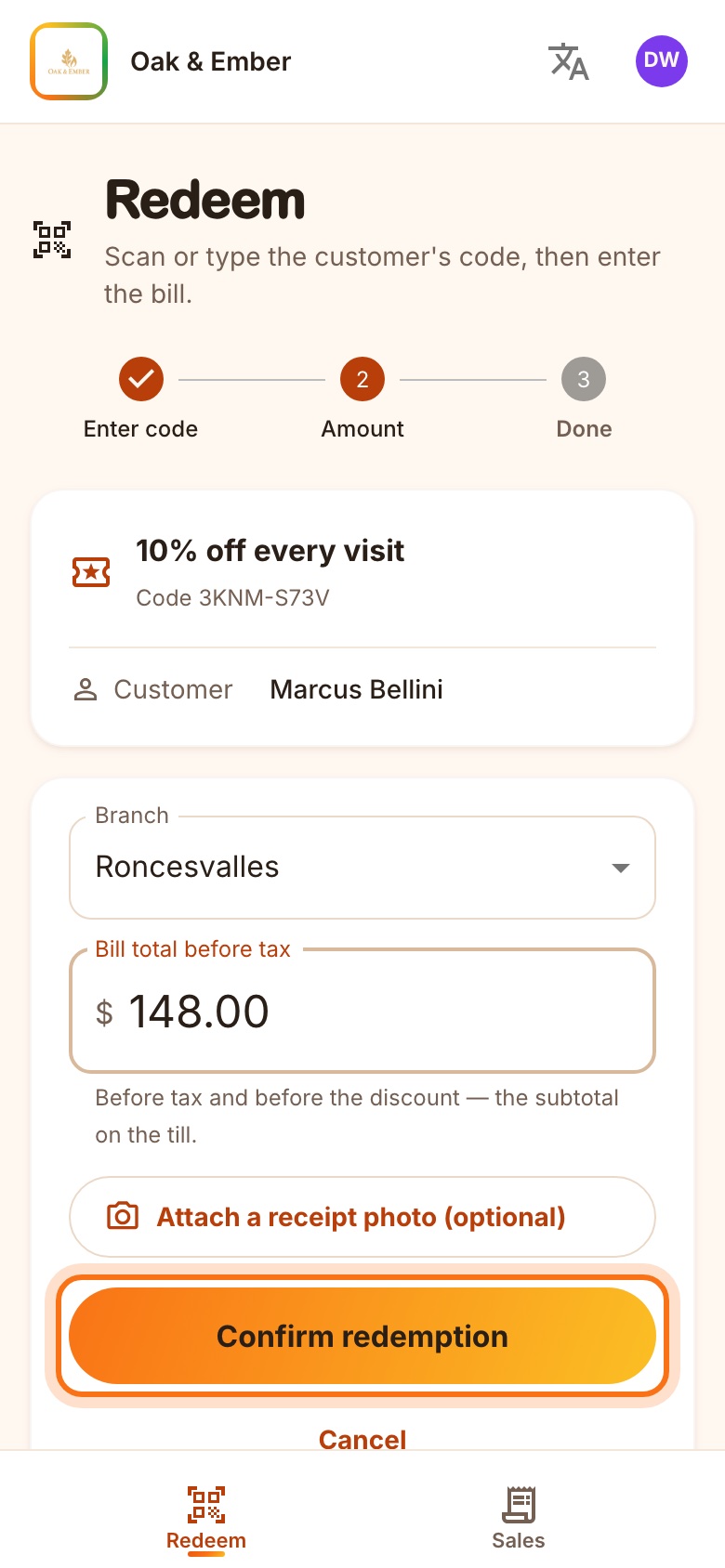
Fig. 7Step 2: $148.00 before tax, 10% off. - 4
Confirm and charge
Confirm redemption, then charge the amount shown. The deal is used and can't be redeemed again — on any device.
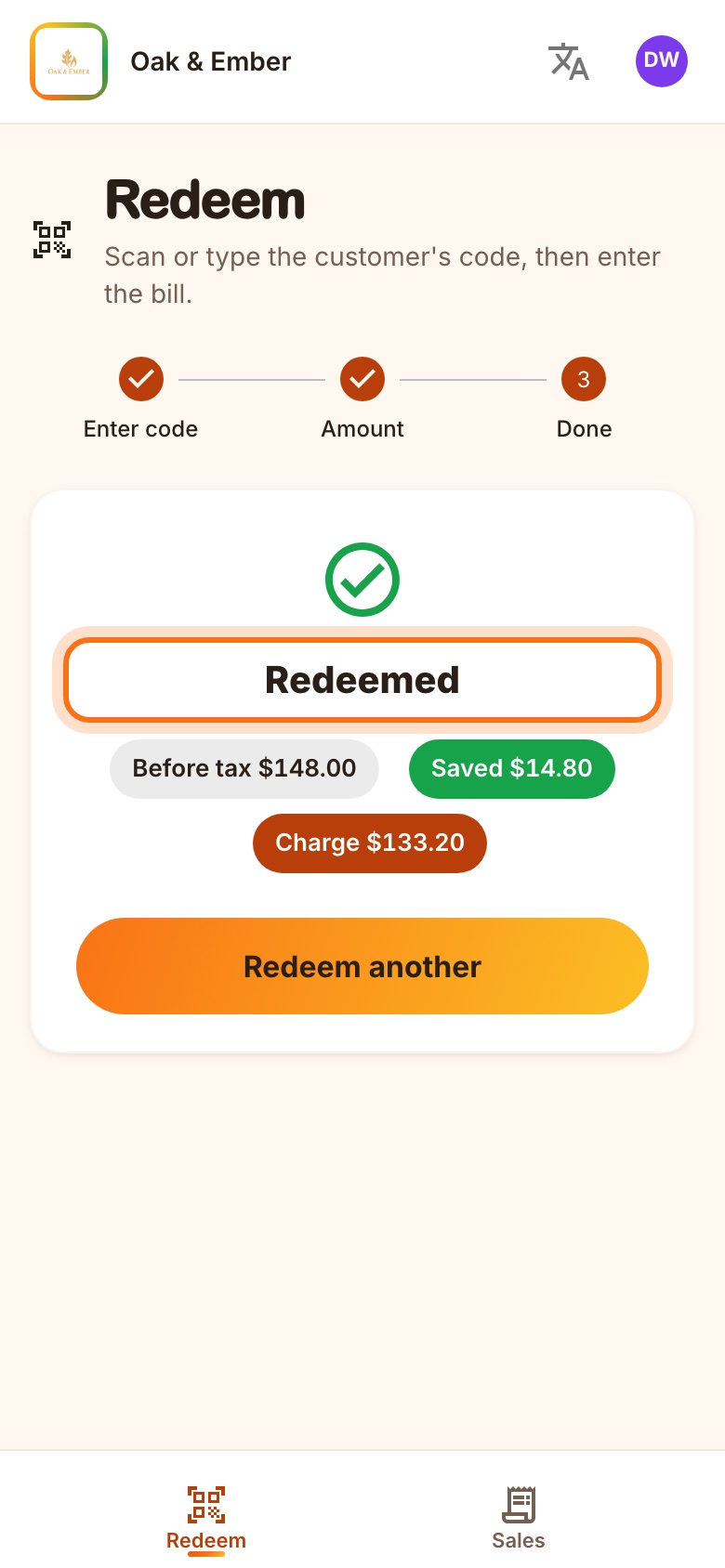
Fig. 8Step 3: saved $14.80, charge $133.20.
Chapter 4 · Built-in safeguards
Screenshots don't work. Neither do other businesses' codes.
User storyAs an owner, I want the app to refuse codes that shouldn't work, so that my staff never have to judge it themselves.
Each code lives about 90 seconds and only in the customer's own app. UgaRef refuses the rest and tells your staff why, in plain words.
- 1
An expired code is refused
“This code has expired. Ask the customer to show the live code in their app — screenshots don't work.” A used code, or one for another business, is refused the same way.
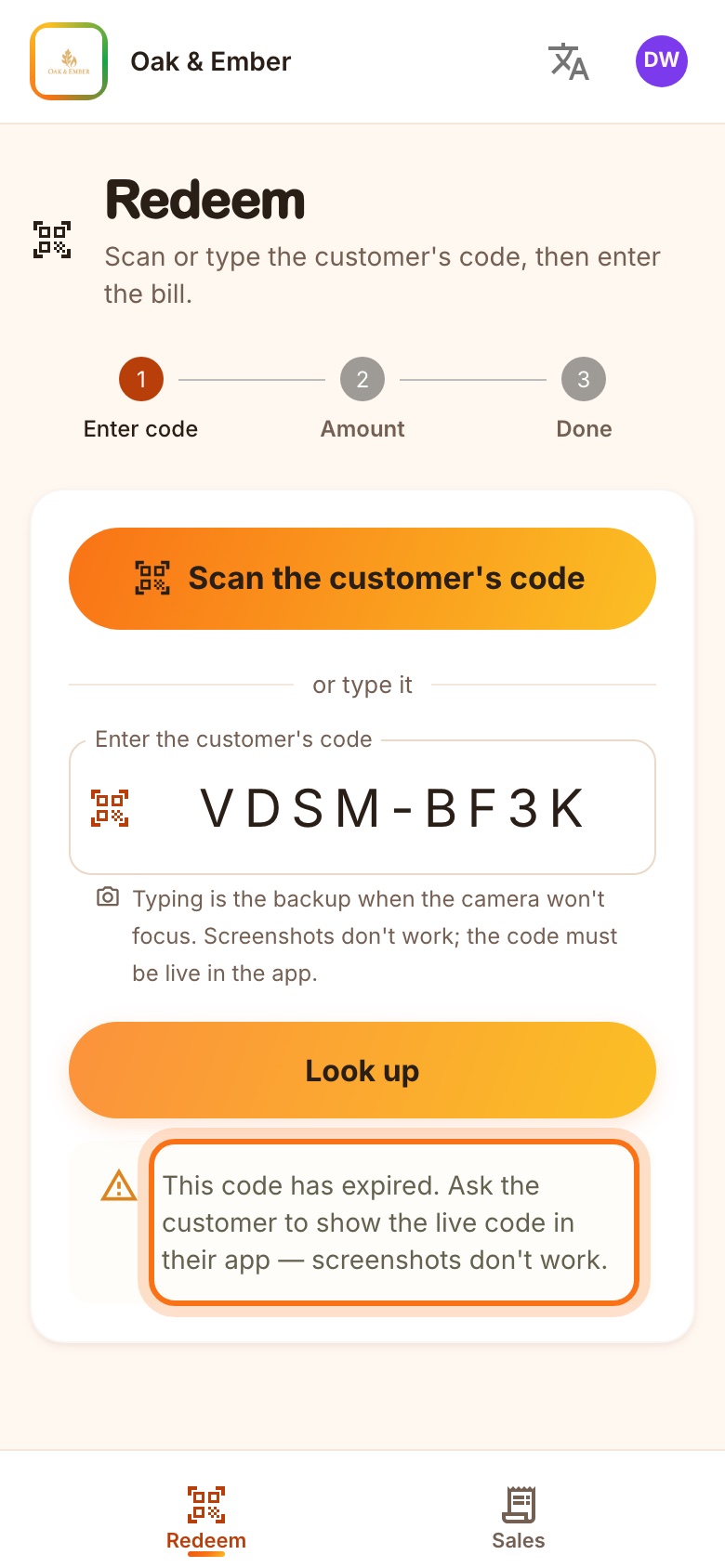
Fig. 9A screenshot from two minutes ago, refused.
Chapter 5 · Your sales
See what UgaRef brought in
User storyAs an owner, I want to see every UgaRef visit and what it cost me, so that I can decide if it's worth it.
Sales lists every redemption: the customer, the bill, the discount, who served them and which branch. Totals sit on top.
- 1
Open Sales
Owners see every branch; staff accounts see their own branch.
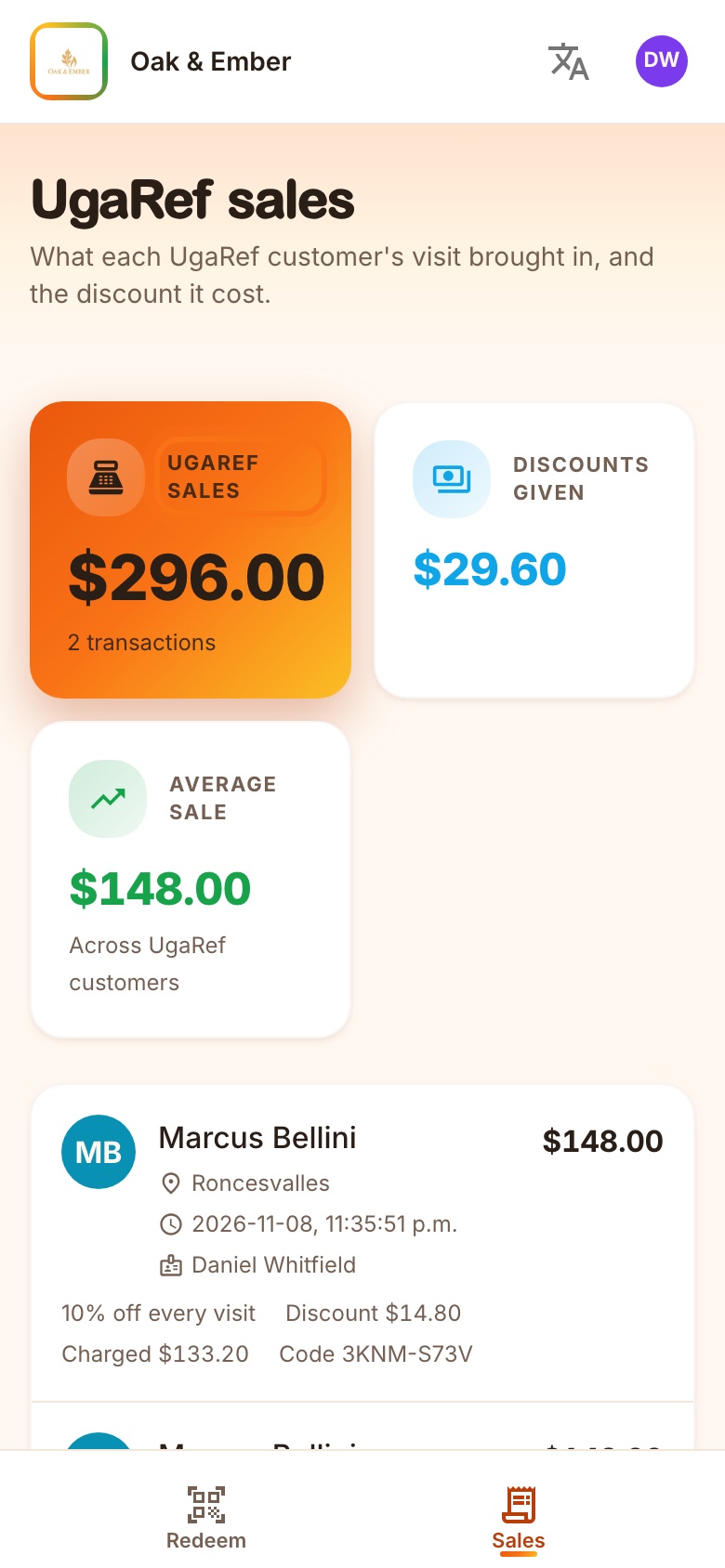
Fig. 10UgaRef sales at Oak & Ember. - 2
Your team's language
Each person's phone can switch between English and 中文 with the 文A icon.
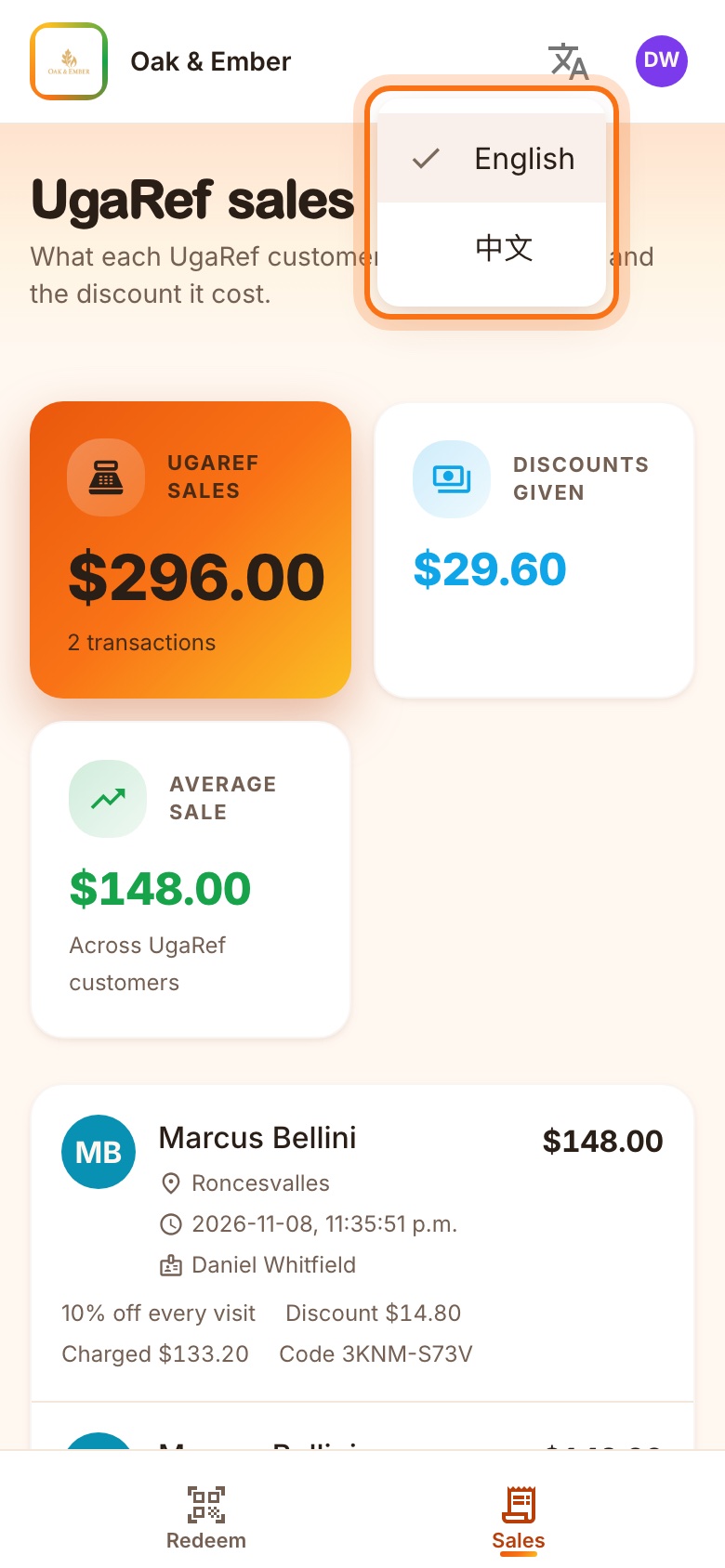
Fig. 11The language menu.
Questions
- What does UgaRef cost?
- There is no fee per visit and no money passes through UgaRef at your counter. Customers pay you directly; the discount is your offer.
- Who decides the deal?
- You do, with us. We set it up, and can change or retire it any time; codes already taken keep their original terms.
- Do we need a tablet or a scanner?
- No. Every cashier uses their own phone — iPhone or Android. Sign in once a shift, open the app, scan.
- The camera won't focus.
- Type the 8-character code under the QR. It works exactly the same.
- We have more than one branch.
- Owners and managers choose the branch when confirming; staff accounts are tied to their branch.
Want to be listed?
Tell us about your business. We'll set up your listing and visit to train your team.
Contact UgaRef